-
 Crazygames 2024
-
 Feminization Games
-
 FNAF Unblocked
-
 Play With Friends
-
 Geometry Dash Unblocked
-
 Google Sites Unblocked
-
 GTA Unblocked
-
 Horror Unblocked
-
 Minecraft Unblocked
-
 1v1.LOL
-
 2 Player
-
 ABCya
ABCya
-
 Action
-
 Adventure
-
 Amanda The Adventurer
-
 Among Us
-
 Backrooms
-
 Baldi’s Basics
-
 Bamboozle
-
 Barbie
-
 BeamNG Drive
-
 Best
Best
-
 BitLife
-
 Bleach vs Naruto
-
 Chess
Chess
-
 Chilla's Art
-
 Choo Choo Charles
-
 Creepypasta
-
 Doraemon
-
 DOS
DOS
-
 Driving
-
 Easymath
-
 Evil Nun
-
 Fancade
-
 Farming Simulator
-
 Fighting
-
 FNaF
FNaF
-
 Friday Night Funkin
-
 Friv
Friv
-
 Gacha Life
-
 For Boys
-
 For Girls
-
 For Kids
-
 Garry’s Mod
-
 Garten of Banban
-
 Genshin Impact
-
 Goat Simulator
-
 Granny
-
 GTA
GTA
-
 Happy Wheels
-
 Hello Neighbor
-
 Horror
-
 Hungry Shark
-
 Incredibox
-
 Incredibox Scratch
-
 Indie
Indie
-
 IO Games
-
 Itch.io
-
 Japanese Horror
-
 Jump Force Mugen
-
 Kogama
-
 Lagged
-
 Mahjong
-
 Medical Doctor
-
 Melon Playground
-
 Minecraft
-
 Multiplayer
-
 Multiplayer Unblocked
-
 My Singing Monsters
-
 Nintendo
-
 Old Games
-
 Papa's
-
 PK XD
PK XD
-
 Poki
Poki
-
 Poppy Playtime
-
 Purble Place
-
 Puzzle
-
 Racing
-
 Rainbow Friends
-
 Red Ball
-
 Retro Bowl
-
 Roblox
-
 Sakura School Simulator
-
 Shooting
-
 Skibidi Toilet
-
 Snowmobile
-
 Solar Smash
-
 Sports
-
 Stickman
-
 Summertime Saga
-
 Supermarket Simulator
-
 Survival
-
 Talking Angela
-
 Talking Ben
-
 Talking Tom
-
 That's not my Neighbor
-
 The Amazing Digital Circus
-
 The Baby In Yellow
-
 Play The Pizza Edition Games Online
-
 The Sims
-
 Toca Boca
-
 Toca Life
-
 Touchdown
-
 Unblocked 6969
-
 Play Wobbly Life Games
-
 Retro Unblocked
-
 Sprunki Games
-
 Sprunki Wenda Treatment Games
-
 Stickman Unblocked
-
 Suika Games Online
-
 Unblocked 2024
-
 Unblocked Games 66
-
 Unblocked Games 76
-
 Unblocked Games 77
-
 Unblocked Games at School
-
 Unblocked Games Premium
-
 Unblocked Games World




Advertisement
The Choicer Voicer
Advertisement
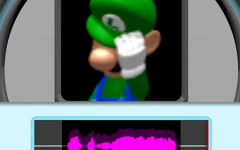
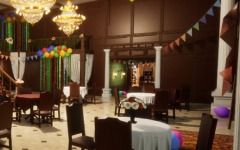
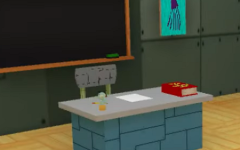
The Choicer Voicer treats the microphone as the main controller. Instead of moving a character around a map, players hear a short reference clip and try to reproduce it with their own voice. Timing, pitch, pauses, rhythm, and general delivery all matter during a performance. Once the recording is finished, the game presents the result through a game-show studio with a panel of judges. The structure is based on repeated vocal challenges rather than a campaign, so there are no conventional levels, enemies, or upgrade trees.
Different Ways to Run a Session
The standard format works in single-player, but The Choicer Voicer also supports local multiplayer for up to four participants. In a group session, players take turns performing prompts and receiving their own results. Twitch-oriented modes provide another option, allowing viewers to participate through chat-based features instead of sitting in the same room. Built-in online matchmaking is not part of the normal game.
A typical game-show round involves:
- selecting a set of voice clips;
- hearing the original recording;
- performing the line through a microphone;
- recording the attempt;
- receiving the judges’ response;
- continuing with another prompt.
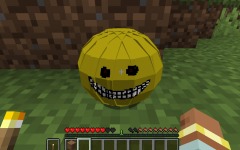
Because the clips come from Voice Packs, the actual material can vary significantly between sessions. Community packs can contain character dialogue, quotes, music-related samples, internet clips, game voices, animated characters, or collections built around a particular theme. Current pack libraries organize this material into categories such as anime, video games, movies and television, music, memes, creators, and original community content.
A Game Designed Around Custom Packs
The Choicer Voicer is not limited to swapping the audio prompts. Its customization system separates different parts of the game show into their own pack types. This allows players to change one element while keeping everything else intact.
Available content can include:
- Voice Packs for normal imitation prompts;
- Contestant Packs for the player character;
- Judge Packs for the five-person panel;
- Host Packs for the presenter;
- Studio Packs for the game-show environment;
- Menu Packs for interface presentation;
- Chatter Packs for Twitch-related content;
- Dub Packs for video voiceovers.
Community libraries also distribute Compilation Packs that bundle several related types of content together.
This modular system means a session does not need to follow one visual theme. A player might use voice clips from one game, judges based on another series, and a completely unrelated studio. Alternatively, matching packs can be combined to turn the entire presentation into one themed setup.
Recording Complete Scenes in Dub Mode
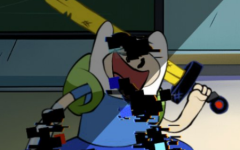
Dub Mode changes the format more substantially. Instead of focusing only on a short clip followed by a score, it lets players record dialogue for a video scene supplied by a compatible Dub Pack. Each spoken sample contains timing information telling the game where the new recording belongs. When the required lines are finished, the recordings are synchronized with the video and played as a completed dub.
Dub Packs are technically extended Voice Packs and can contain individual dialogue samples, an OGV video, timestamp metadata, captions, character information, and an optional backing track that preserves music or sound effects. The format was introduced with version 0.5.0.
The Choicer Voicer therefore does not rely on finishing a fixed set of stages. Its replay value comes from changing the voices being performed, competing with other local players, experimenting with custom show assets, and adding new community packs. One session can concentrate on scored impressions, while another can be built around dubbing an entire scene or testing an unfamiliar collection of voices.